

0790 039 732 / 0733 299 455
0768 474839
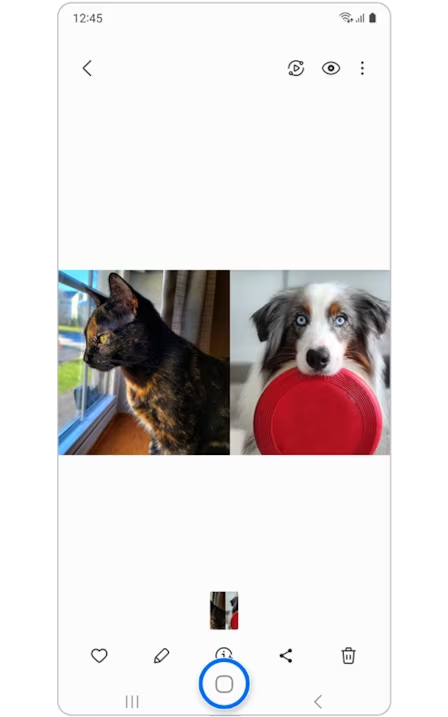
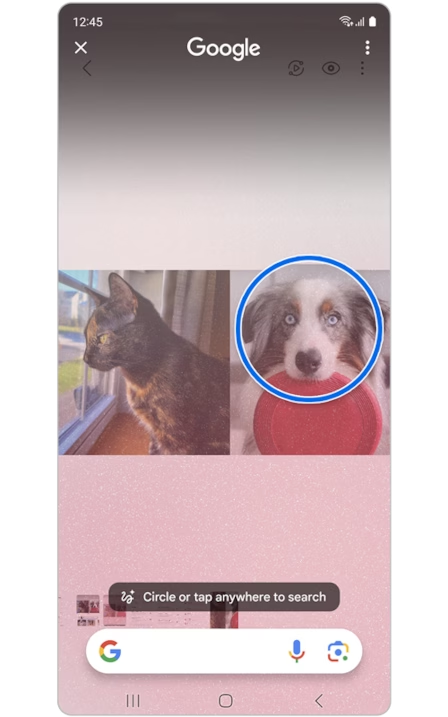
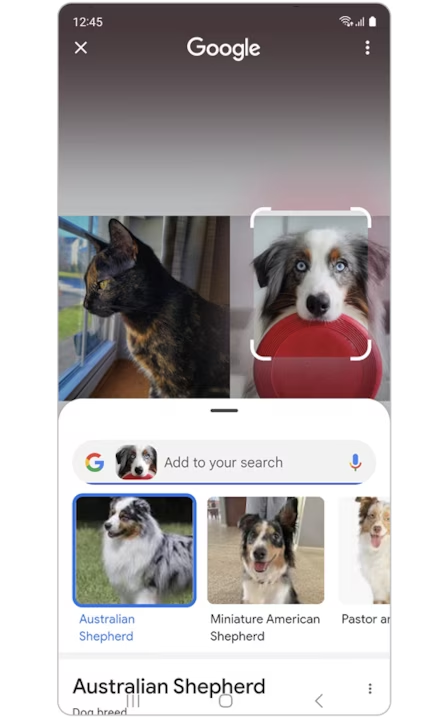
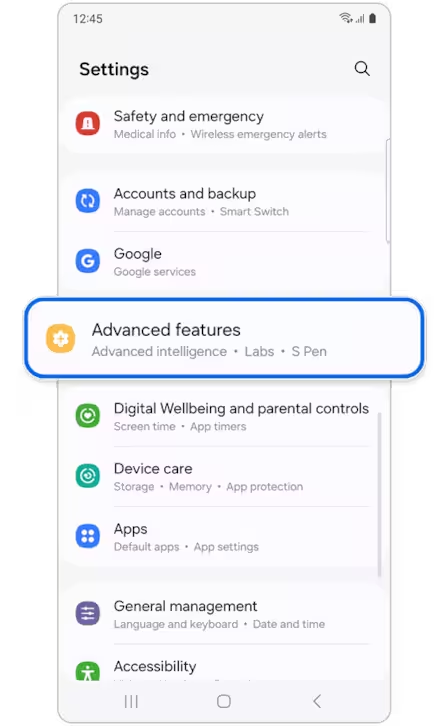
Imagine searching the web directly from anything you see on your phone’s screen! That’s the magic of Circle to Search, a powerful feature available on Samsung Galaxy Z Fold6 and the samsung galaxy Z flip6 Here’s how it works:
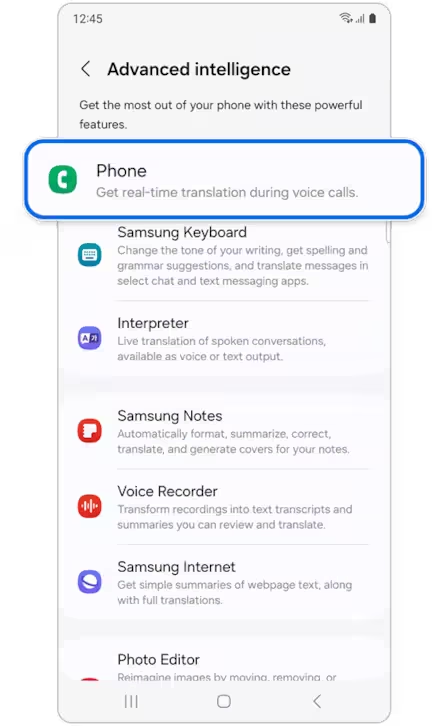
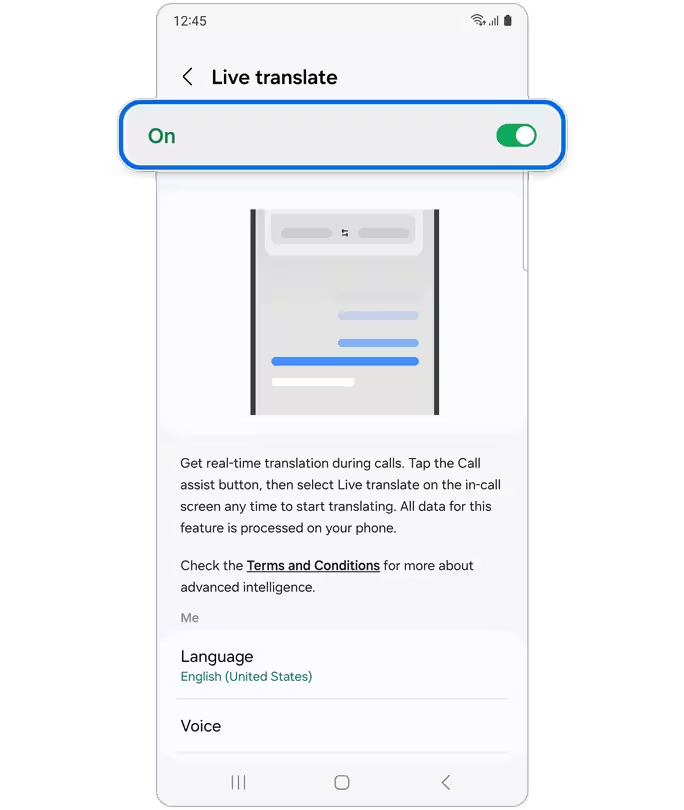
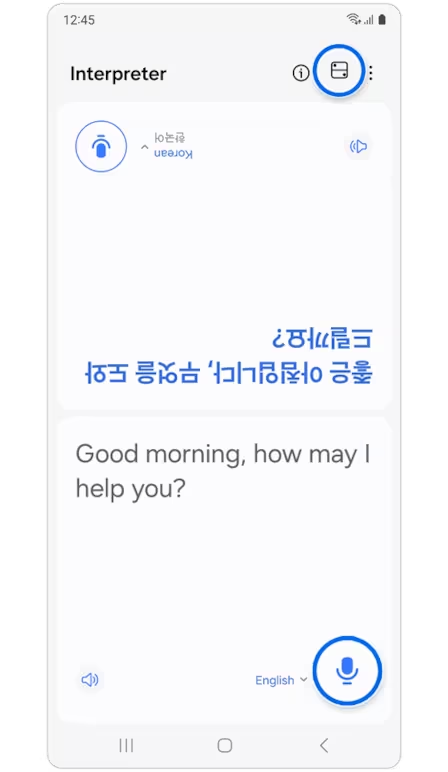
Struggling to communicate with someone who speaks a different language? Traveling the world and want to understand local signs or menus? Samsung Galaxy Live Translate comes to the rescue! This innovative feature in the Samsung Galaxy Z Fold6 and Samsung Galaxy Flip6 bridges the gap between languages, making real-time conversation and information access effortless.
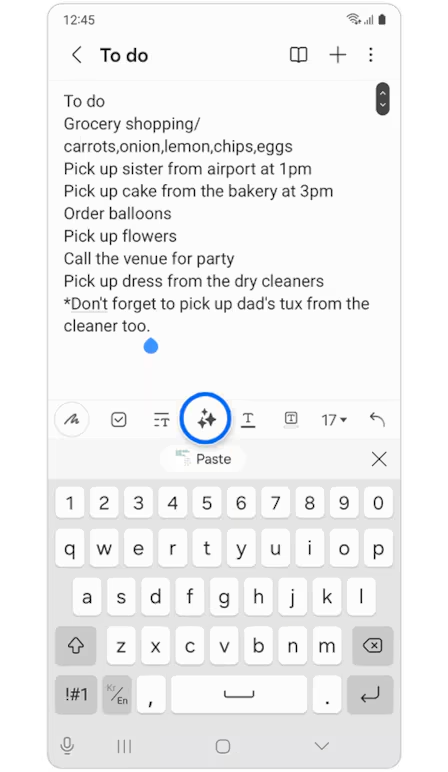
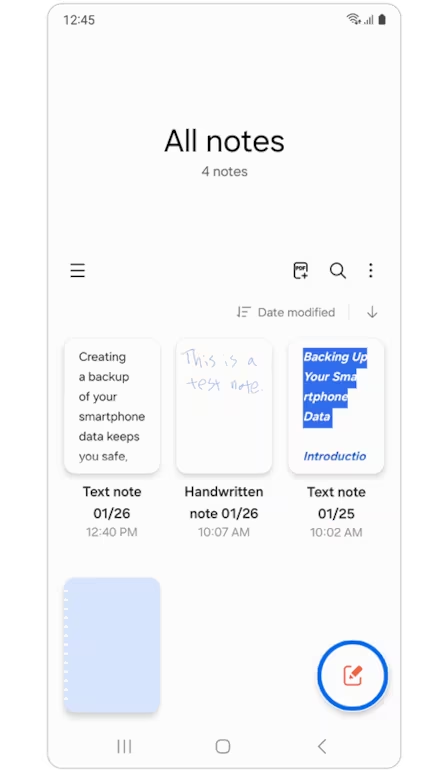
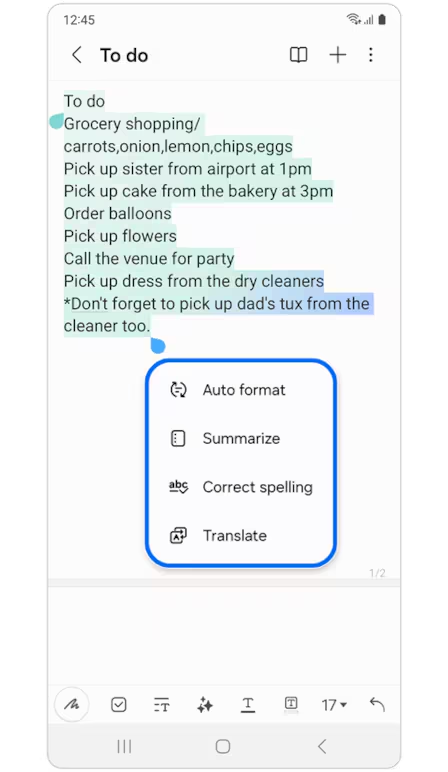
You’re brainstorming ideas during a lecture on the expansive screen of your Fold. Here’s how Note Assist supercharges your note-taking: Intelligent Summarization, Enhanced organization, voice note power, multi-tasking magic
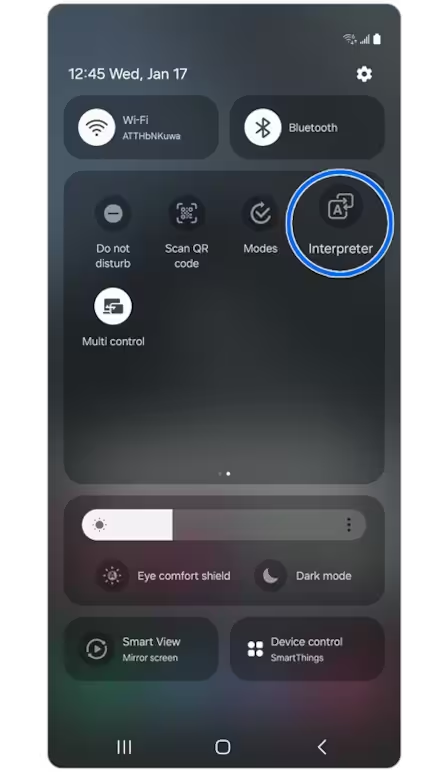
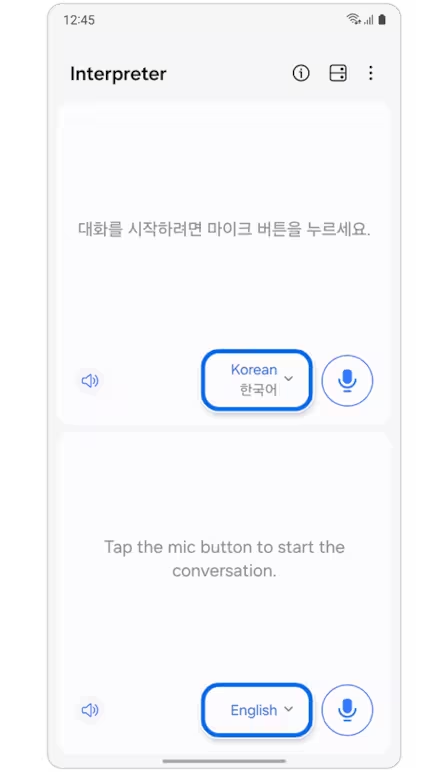
The new Interpreter feature in the Samsung Galaxy Z Fold6 and Samsung Galaxy Z Flip6 is a must-have for anyone who wants to chat with people who speak different languages. It’s a game-changer for travelers, business people, or anyone who wants to connect with the world.
 TVs
TVs Refrigerators & Freezers
 Washing Machines
 Home Appliances
 Cookers
 Small Domestic Appliances
 Mobile Phones
 Water Dispensers
 Audio
Audio
 Monitors
 Freezers
No account yet?
Create an Account